


Finding a local AI tool can mean opening a GitHub repository, a model page and an installation guide before you know whether it fits your task. Localhosted gathers that scattered starting information into searchable profiles of local and self-hosted AI software.
For designers, the most useful part is the context around each project. An image editor, a video interface and a painting plugin can solve adjacent production problems while existing in entirely different technical communities. The directory helps reveal those connections before you start downloading models or sorting out dependencies.
The site brings together a range of tools, including developer libraries and model infrastructure alongside creative applications. New projects continue to appear in the directory.
What does a profile tell you?
A Localhosted profile combines a readable description with platform labels and project links. Entries connected to GitHub may display the license, latest commit, release information and the date those details were fetched. Categories and feature tags lead to related tools; some profiles also include videos. The amount of information varies from project to project.
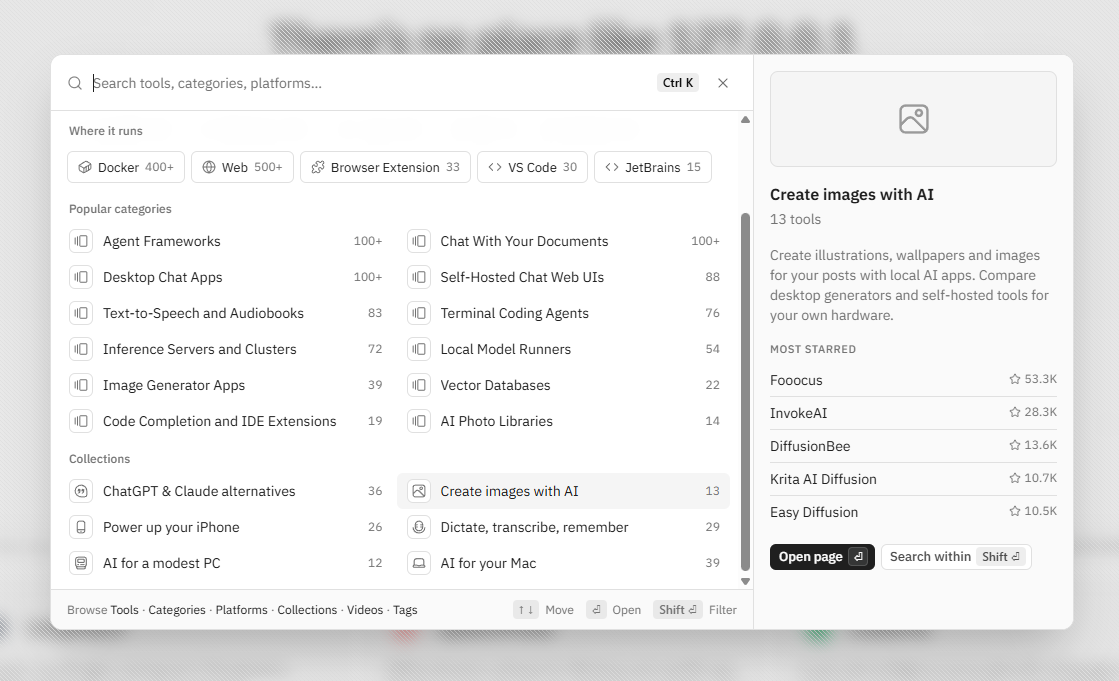
The search panel shows how Localhosted structures discovery. Platforms, categories and curated collections let you explore the directory by the kind of software you need, without knowing a project’s name in advance. Selecting Create images with AI brings up a focused selection, including Krita AI Diffusion.
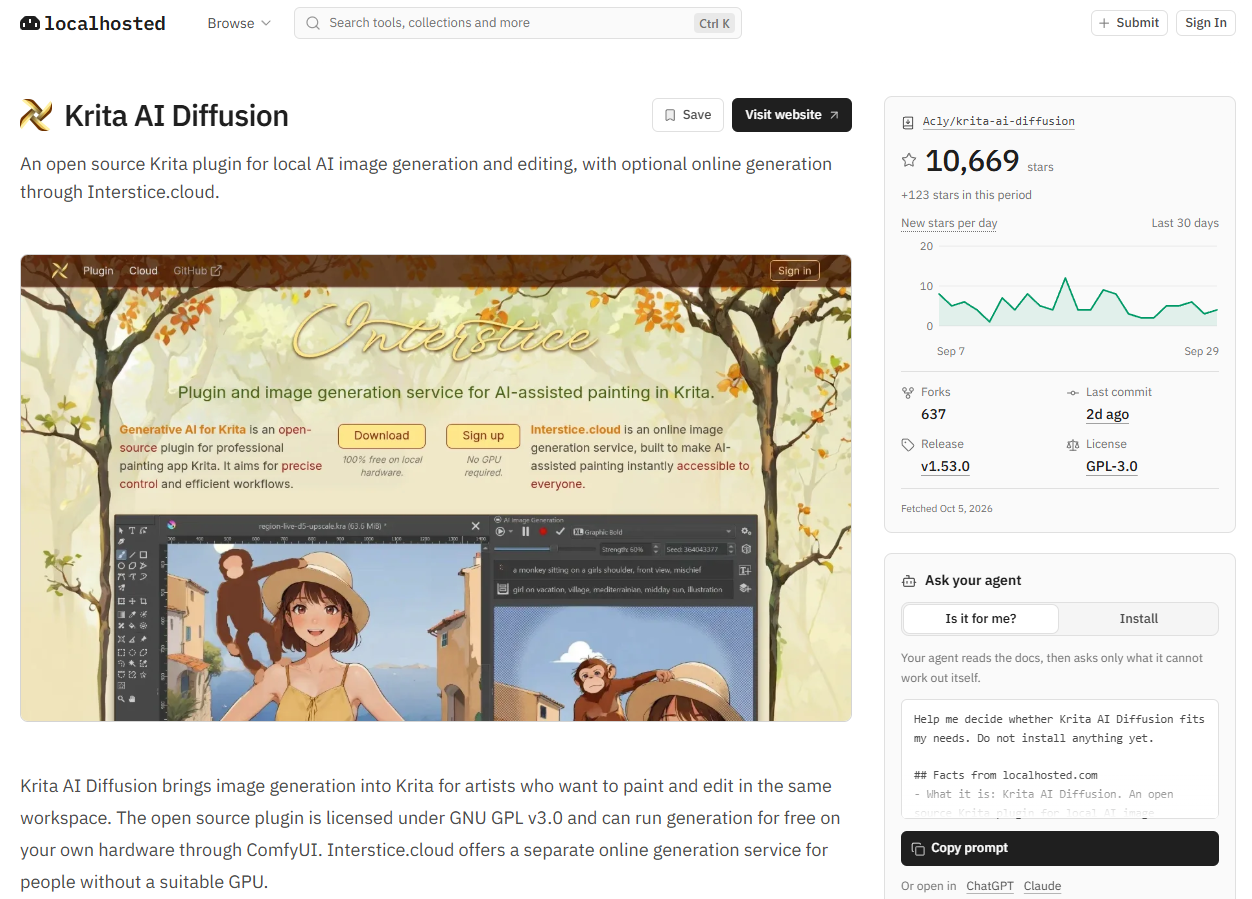
We opened Krita AI Diffusion to see what information a project profile provides. Its listing describes selective edits, canvas expansion and reference-image controls. It identifies ComfyUI as the local generation backend, notes the optional Interstice.cloud service, and recommends an NVIDIA GPU with at least 6 GB of VRAM. The repository link leads to the project's own description and installation resources. The video section also includes a course on local setup and photo editing.
That's enough information to decide whether to investigate Krita further. It doesn't fully answer the installation question. The official Krita AI Handbook adds details missing from the listing: the local model setup starts at around 10 GB and can exceed 50 GB depending on the optional packages installed, while Windows Store or Steam versions of Krita can prevent some packages from installing. The guide also distinguishes a managed local server from a connection to your own ComfyUI installation.
Finding components for a creative workflow
For designers, Localhosted's categories can organize the search around individual production stages. Krita AI Diffusion handles editing within the canvas; ComfyUI provides reusable processing graphs; video and music categories lead to other kinds of tools. The following examples show how these tools could fit into different parts of a design workflow.
With Krita AI Diffusion, the connection is already built in: the plugin uses ComfyUI to run generation behind the painting interface, with selective edits and upscaling available inside the plugin. A designer can refine part of a composition and continue painting in Krita. There's no need to turn a simple task into a trip through five different applications.
For repeatable image processing, ComfyUI offers a different kind of workspace: nodes describe the operations, and saved graphs let you reuse the process. The project's documentation covers workflows for images, video, audio and 3D. The useful question is which processing stage benefits from repetition, whether that's preparing variations or applying the same sequence of finishing operations.
A video workflow could begin with an approved reference image, then move to a suitable image-conditioned model in WanGP, listed on Localhosted as Wan2GP. Documented tools include RIFE frame interpolation and FlashVSR upscaling for a later processing stage. The chosen model determines acceptable inputs and hardware requirements; the directory doesn't make those decisions for you.
Previsualization offers another use case. CozyClay can run locally in a browser, letting you block out a rough 3D scene and set up camera movements, then export reference frames or clips for subsequent AI video work. This separates shot planning from generation. The next stage may use an external service, so a locally prepared scene doesn't mean the entire production stays on your computer.
Sound can be a separate stage. The ACE-Step listing leads to a music-generation project whose documentation describes text prompts and regenerating selected sections of audio. A motion designer could use this to develop a temporary music cue, then edit it against a sequence in their usual editor. Timing, transitions and the final mix still require separate work.
The directory also extends beyond desktop workflows. Dedicated iOS and Android sections include apps that run models directly on a phone or tablet, as well as mobile clients for self-hosted model servers. The listings cover chat, image generation and transcription, giving mobile devices a place in a creative AI workflow, either as on-device tools or as interfaces to processing hosted elsewhere.
What to keep in mind
Localhosted gathers information that helps build a shortlist, but each selected tool still needs an individual check. A Windows label doesn't specify which graphics cards are supported, and a recent GitHub commit doesn't establish production reliability. Local execution and self-hosting also describe different arrangements: processing may happen on a workstation, a private server or a remotely rented machine that you manage yourself.
The About page explains how listings are assembled: descriptions draw on official project materials and READMEs, with AI helping prepare drafts that are reviewed before publication. A project's inclusion doesn't mean the software has been installed or benchmarked.
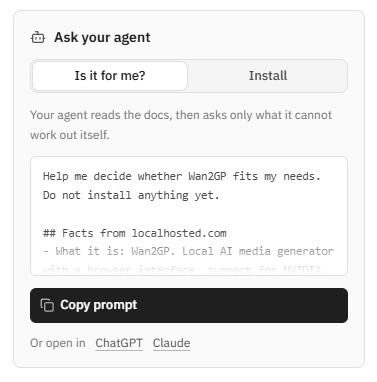
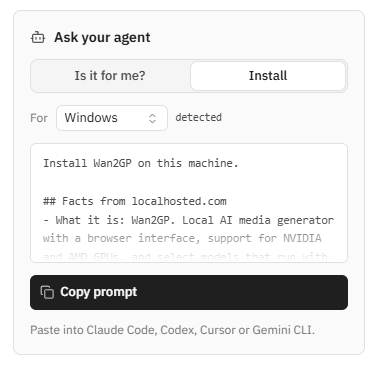
The Ask your agent panel is another feature worth a look. It offers ready-made prompts for an AI agent, for example to assess whether a tool fits a specific task or to plan its installation. It's a useful addition to discovery and initial evaluation.
Perhaps the most telling detail is that a directory like this is useful at all. Local AI has become large and fragmented enough for finding a suitable tool to be a task in itself. Localhosted leaves the choice with the designer, but can shorten the path from "I need a tool for this task" to a handful of actual candidates.


Discussion