


Spline V2 has the usual release-note furniture: a new renderer, new materials, a cleaner interface, and a lot of checkboxes for power users. The real move is stranger and more useful. Spline is trying to make the 3D scene itself something an AI agent can enter, inspect, edit, and leave in a state a designer can still touch.
The Spline changelog dates V2 to August 21, 2026, and calls it a complete rebuild of the 3D editor for the agentic era. That phrase can sound like launch-copy fog, but the mechanics underneath are concrete: Spline V2 adds an AI Chat agent, MCP access for external agents, a WebGPU renderer, Edit, Code, and Preview modes, plus HTML and JavaScript layered over the 3D canvas.
Video: Spline. The AI agent generates code for UI, logic and game loops
The important distinction is editability. A lot of AI 3D still follows a familiar bargain: prompt in, asset out, cleanup later. Spline V2 points at a different workflow, where the agent works through the editor instead of handing you a finished object from outside the room. Per Spline's AI Agent docs, each agent change lands as a normal editor edit, enters undo history, syncs to collaborators, and can be taken over manually at any point.
That changes the role of the prompt. In this model, a designer can ask for a product hero scene, then ask for warmer lighting, denser fog, different material roughness, a new camera angle, or a click interaction without abandoning the file. The agent can create objects, tune materials and lights, animate, wire events and states, generate textures or 3D models, and even write HUDs or game logic over the canvas. Half human, half algorithm, still very much a file.
Why MCP matters here
MCP is the bridge that makes the story bigger than Spline's own chat panel. Spline's MCP Server docs say Claude, Cursor, Codex, Antigravity, VS Code, and other compatible clients can connect to the live editor through the desktop app. The setup runs locally through the Spline desktop app on macOS or Windows, and Spline says the browser alone can't host that MCP connection.
For designers, that means an agent already sitting in a codebase can also touch the visual scene that might ship with it. The same broad idea showed up in our coverage of Claude Code builds becoming editable Figma designs: the interesting AI workflow lives in the handoff staying editable after the first generated result. Spline brings that argument into 3D, where the cost of a bad handoff is usually higher.
The Code and Preview modes make the pitch sharper. HTML and JavaScript can sit over the canvas and interact with the scene, so a Spline file can hold interface chrome, motion, input, and runtime behavior alongside the 3D work. That puts Spline closer to front-end prototyping than a static 3D editor, especially for landing pages, product demos, spatial UI sketches, and tiny interactive games.
Video: Spline. Creating a Spline scene with Claude Code via Desktop app MCP
The renderer is the quiet backup act
The agent story only works if the editor can keep up. V2 moves to a TSL-based WebGPU renderer by default, with WebGL as fallback, and the material stack now includes PBR support, image-based lighting, an HDR color pipeline, screen-space reflections, planar mirrors, Physical Sky, HDRi Sky, height fog, dust, vertex colors, and a GPU hair system. Spline also claims faster boolean operations and smaller exported runtimes.
Those renderer notes aren't decoration. If an agent can build bigger scenes but the viewport coughs every time you orbit a reflective product render, the whole workflow collapses into waiting. WebGPU gives Spline room to make heavier, more interactive scenes feel like live design material instead of a render queue with panels attached.
The caveat is simple: this is still a release to test, not a finished industry habit. Agent quality, credit cost, production export behavior, and client-by-client MCP reliability will decide how far designers push it past demos. But the direction is clear enough. Spline V2 treats AI as a collaborator inside the canvas, not a vending machine next to it, and that is the better bet for working designers.
 blog.spline.design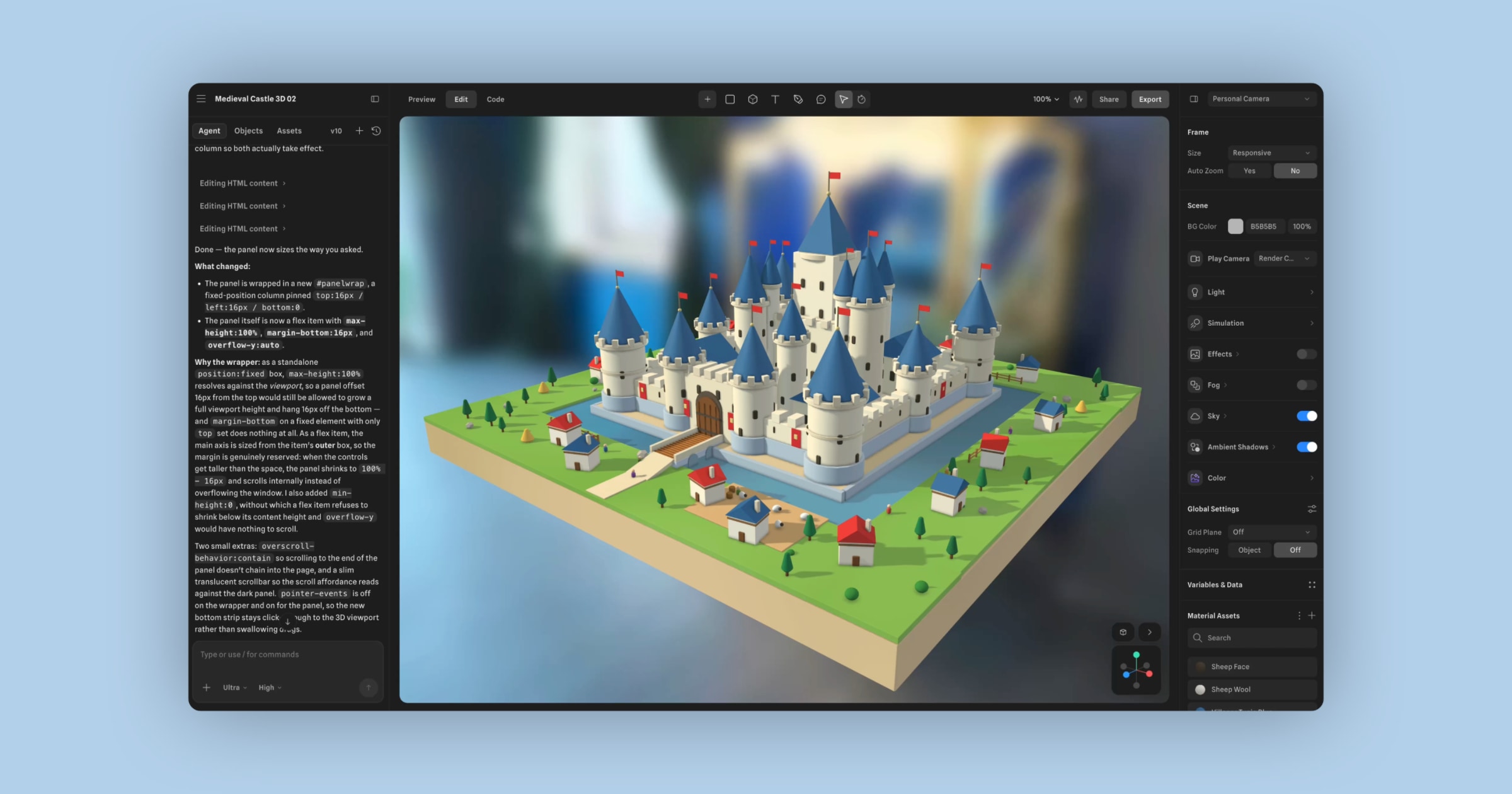


Discussion